The Command Palette is the fastest way to move around Axogram. Press Ctrl+K (or ⌘+K) anywhere in the app and a single input field becomes four tools at once: a global search, a route launcher, an ID lookup, and a command runner.
The Golden Rule: the first character you type decides what the palette does. No first character means a global search across all your content.
Mode strip and the five modes
| * (or no prefix) Global search | Searches across all entities — works, artists, exhibitions, literature, dictionaries, posts, pages, categories, tags, assets, authors, licenses. Uses PostgreSQL full-text search with diacritic folding (orleans matches Orléans). |
| / Goto routes | Lists in-app routes from the app manifests. As you type, the list narrows: / → all apps; /cm → CMS routes; /dam/ → all DAM types. |
| # ID lookup | Finds entities whose ID starts with the digits you type. #112 matches 112, 1120…1129, 11200…11299, etc., across every searchable table. |
| > Commands only | Filters only the registered application commands — toggling panels, opening menus, navigation. No entity search noise. |
| ? Inline help mode | Shows a compact in-palette reference of all modes and syntax shortcuts. Your current term is retained (?dam stays contextual). |
The mode strip at the top-right mirrors these five modes. You can click a chip or keep typing prefixes directly — both stay synchronized.
Global search
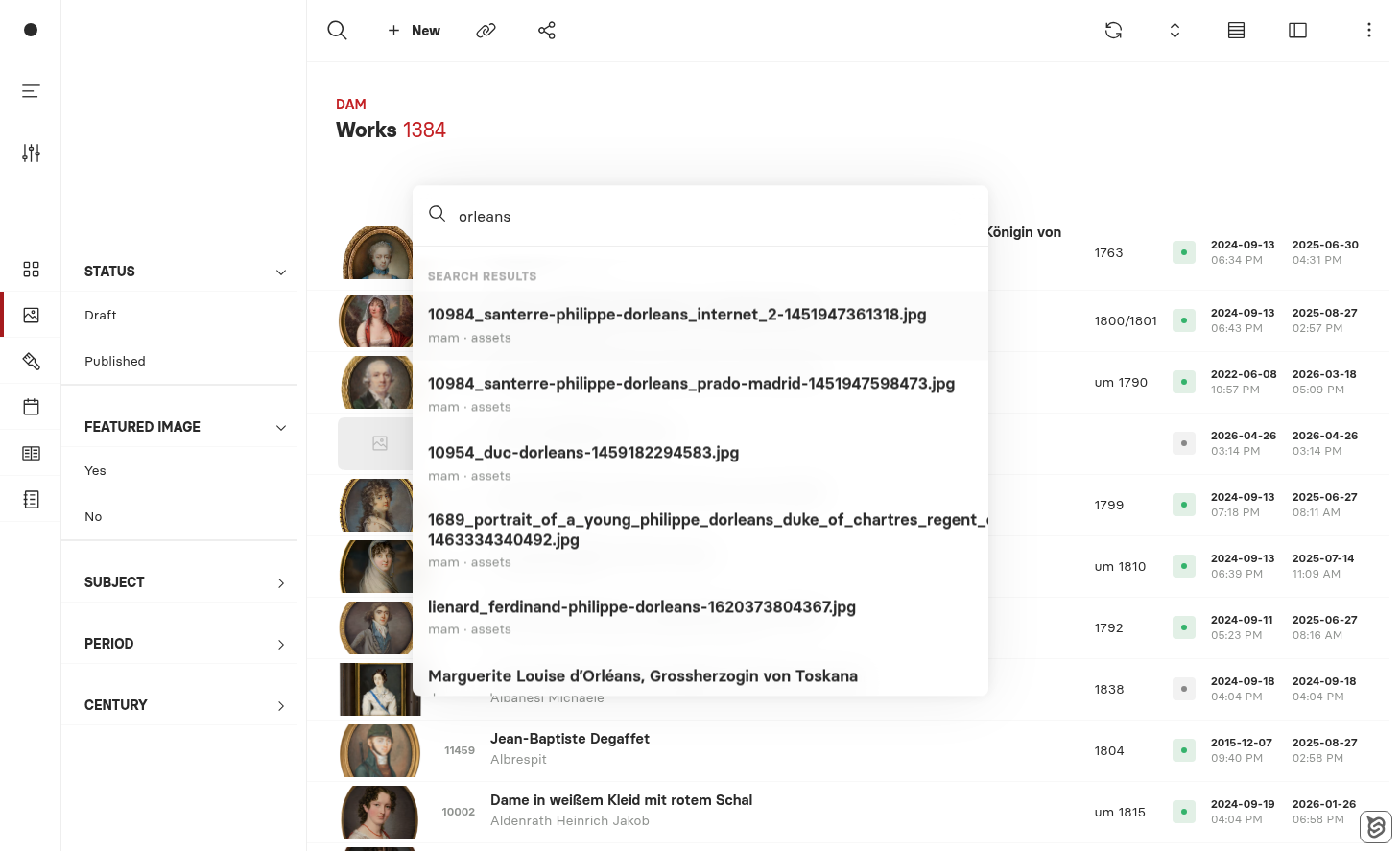
Type at least three characters and the palette fans out a parallel PGroonga search across every searchable entity, scores the hits, and shows the top eight. Each row tells you which app and entity it came from, so “mam · assets” is unmistakable next to “dam · works”.
Diacritics are folded server-side, so “orleans”, “Orléans”, and “ORLEANS” all return the same hits.
Goto routes — typing /
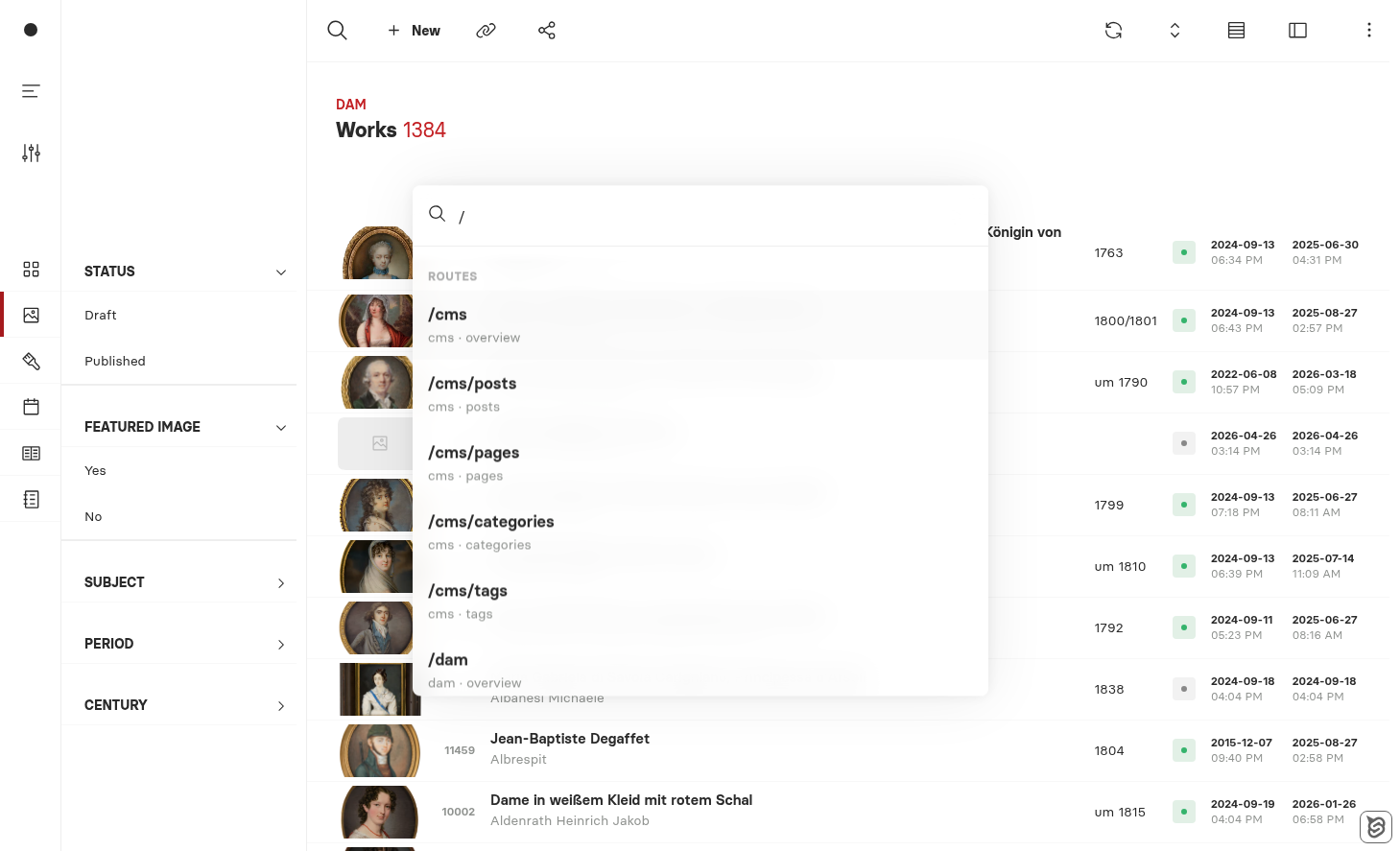
The route list is built from each app’s manifest, sorted alphabetically by app, with the app overview followed by each registered type. As you type, the list narrows by prefix:
/Show everything | All apps and all their types. |
/cmFilter by app prefix | /cms, /cms/posts, /cms/pages, /cms/categories, /cms/tags. |
/dam/Show all types in DAM | /dam/works, /dam/artists, /dam/exhibitions, /dam/literature, /dam/dictionaries. |
If the typed input parses as a handle or URL — like @tansey/dam/works/10567 or a full https://… link — a “Go to …” entry is added at the bottom for direct navigation.
ID lookup — typing #
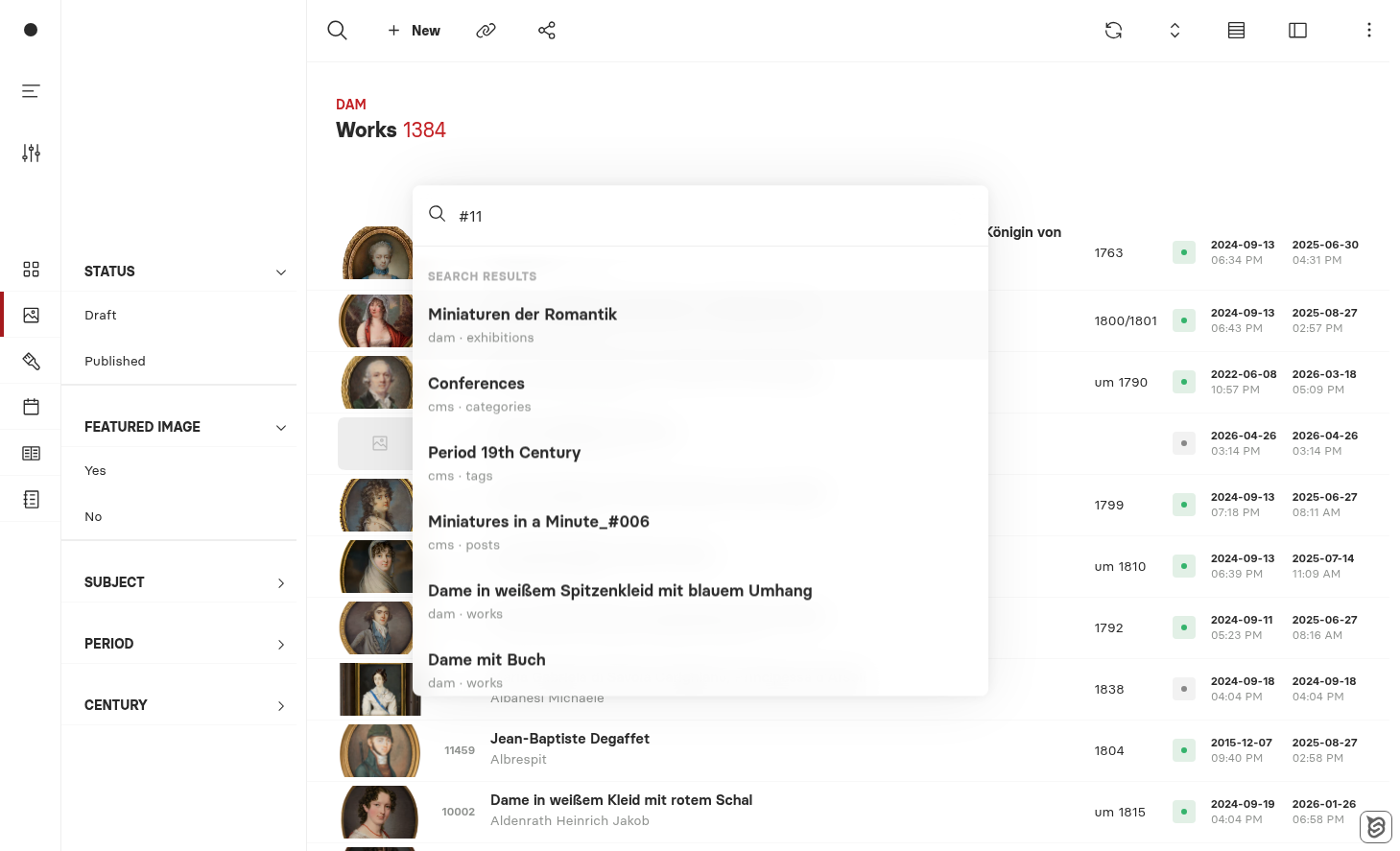
If you remember an ID — or even just the first few digits — type # followed by the digits. The palette returns every entity across every app whose ID starts with that prefix, shortest IDs first. #11 finds 11, 112, 117, then 1100, 1101, … and so on, capped at the eight closest matches.
This is the fastest way to jump straight to a record when you have a reference number from a database, an email, or a colleague.
Commands only — typing >
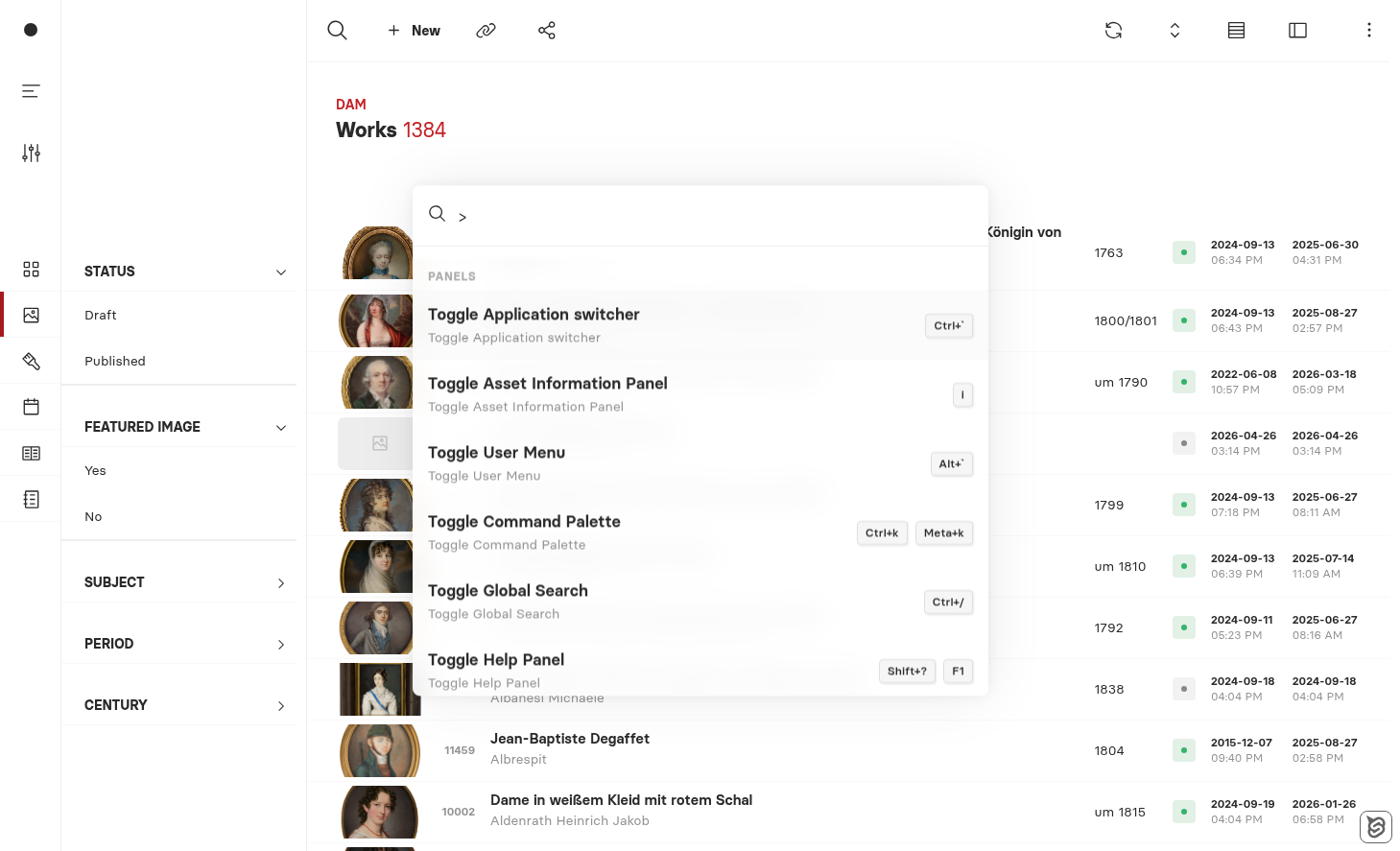
Borrowed from the VS Code convention, > tells the palette to look only at registered application commands — toggling panels, switching navigation, opening the help panel. No entity rows mixed in, just the things the application itself can do.
Keyboard shortcuts
| Ctrl+K / ⌘+K Open the palette | Anywhere in the app. The current query is preselected, so just start typing to overwrite it. |
| Ctrl+Enter Next mode | Cycles mode chips in order: * → / → > → # → ?. Keeps focus in the input and preserves your term. |
| Ctrl+Shift+Enter Previous mode | Cycles backwards through the same mode sequence. |
| ↑ / ↓ Move selection | Up and down through the result list, with edge wrap. |
| Enter Execute | Navigate to the selected result, jump to the route, or run the command. |
| Esc Close | Closes the palette without changing context. |
| → Edit the previous query | When the palette reopens with the previous query preselected, an arrow key drops the cursor at the end of the text instead of overwriting. |
Tips
| Three-character minimum For global search | Below three characters the palette stays quiet. Two-character queries match too much, both for the database and the eye. |
| Eight results, always Predictable ceiling | Across all result-producing modes, the palette caps at eight rows so it never feels noisy. Refine the query if your target isn’t there. |
| Recent-first empty state Discovery by habit | When the input is empty, the palette starts with a Recent section (entities, routes, and commands from your own usage history). |
Mode prefixes are exclusive/, #, > never trigger global search | This keeps each mode focused: typing /m won’t accidentally search every table for the letter m. |
| Click or keyboard Both work everywhere | Every result is also a button — click is equivalent to selecting and pressing Enter. |
Summary
One shortcut, five modes, eight results. The Command Palette removes the question of where in Axogram a thing lives — search by name, jump by route, find by ID, inspect help inline, or run a command, all from the same input.